
Do you want to search in all categories or in this category ?
You can update a WordPress password through the database. This is helpful if you can't receive the password reset email.
Go to https://pro.managed-wp.com , click the selected site and Sign in to phpMyAdmin.
From the sidebar menu, select the _users table. 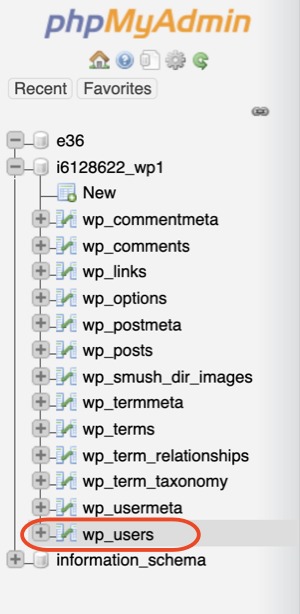
Next to the user you want to update, select Edit. 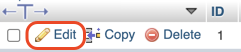
In the Value column, delete the contents of the user_pass box. 
Enter your new password into the same box. 
In the function column, use the drop-down menu and select MD5. 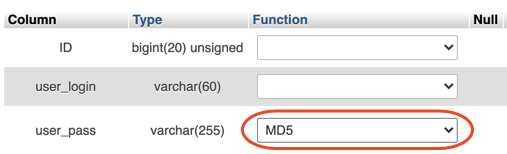
Select Go.
You can now sign in with your new password.


Premium Managed Wordpress hosting